
Equipment
Setting Up a Garage Golf Simulator: Space, Ceiling Height, and Budget Tips

If you’re like a lot of golfers, you’ve probably wondered whether your garage could double as your very own golf simulator space.
The truth is, with the right planning, a garage can be one of the best places to build a home golf sim setup.
The challenge? Getting the space, ceiling height, and budget dialed in so you’re not wasting time or money.
Why the Garage is a Popular Golf Simulator Spot
Garages are perfect for simulators because they’re usually wide open, easy to reconfigure, and separated enough from the main house that you won’t worry about noise or errant shots.
But before you order a launch monitor and hitting net, you’ll want to figure out a few key details.
Space Requirements: Width, Depth, and Swing Room
One of the first things you’ll notice in a garage setup is how much space your door tracks take up. If the metal rails run across your hitting area, you may need to raise the garage door tracks.
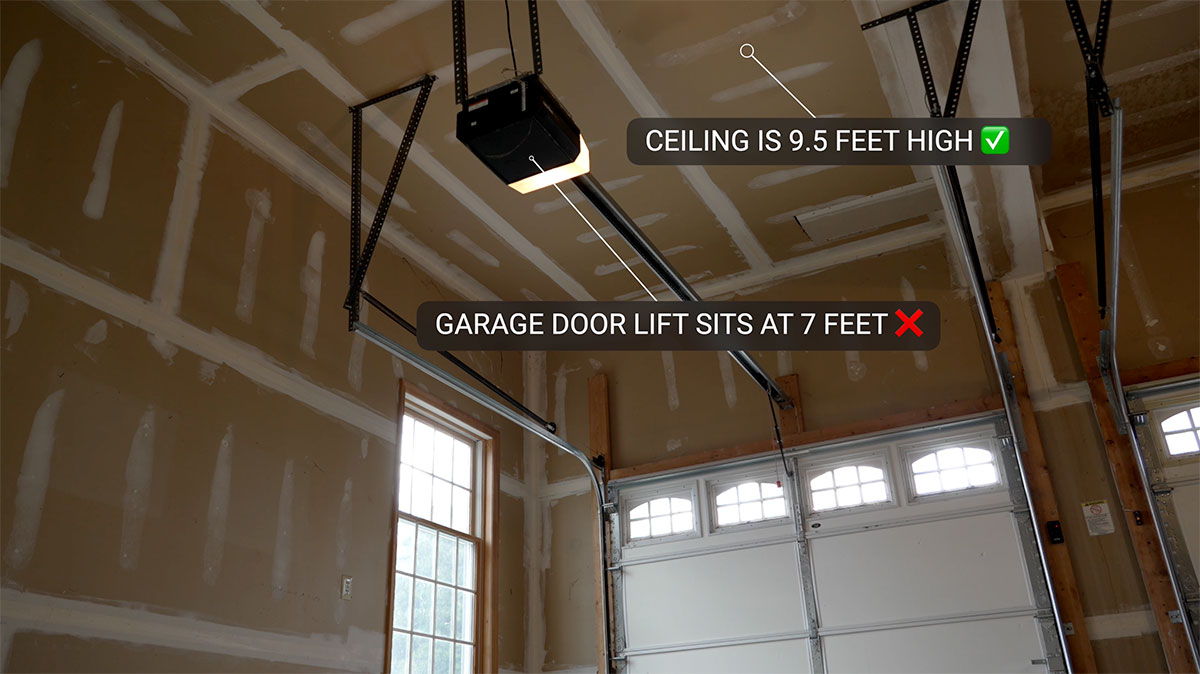
Most garage service companies can reconfigure the tracks so they sit higher, giving you the extra swing clearance you need for drivers and woods. It’s a relatively inexpensive upgrade (often a few hundred dollars) that can make or break your simulator build.
Here’s a quick look at the recommended garage dimensions based on your simulator setup:
| Setup Type | Minimum Width | Minimum Depth | Ceiling Height |
|---|---|---|---|
| Basic Net & Mat | 10 ft | 12–15 ft | 8–9 ft |
| Projector + Enclosure | 12 ft | 15–18 ft | 9–10 ft |
| Radar Launch Monitor (Mevo) | 12–15 ft | 18–20 ft | 10+ ft |
| Camera Launch Monitor (Rapsodo/ Garmin) | 10–12 ft | 15–16 ft | 9–10 ft |
Ceiling Height: The Make-or-Break Factor
This is the biggest obstacle for most garage builds. A ceiling height of 9–10 feet is usually the minimum to swing a driver without fear.
As mentioned earlier, even if your garage ceiling height is not an issue, the garage door tracks may be hanging lower that the ceiling and restricting your ability to swing. If this is the case, a simple fix is to hire a garage door company to come and raise the tracks up to your ceiling height.
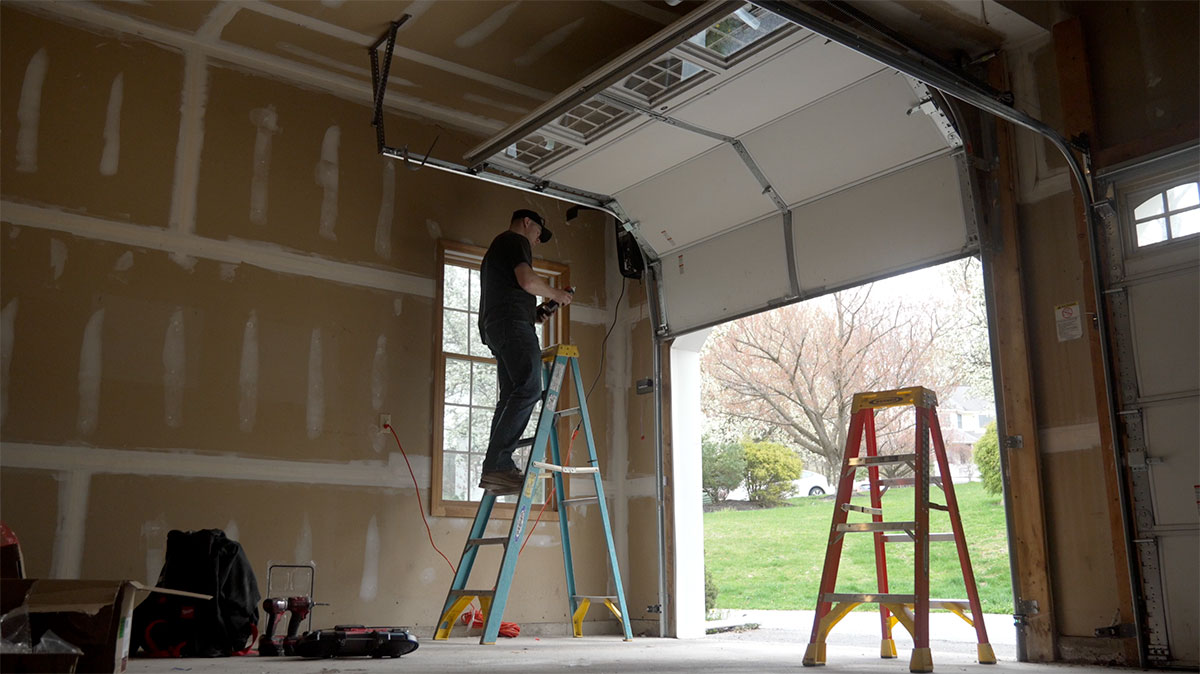
The whole process is actually quite standard and the job can be done in a couple of hours by a skilled garage door mechanic.
Budgeting Your Garage Simulator Build
One of the first questions golfers ask when considering a garage simulator is: “How much is this really going to cost me?”
The truth is, there’s a wide range depending on your goals. Some players want a simple net and launch monitor for practice, while others want a full-blown simulator studio with enclosure, screen, and projector.
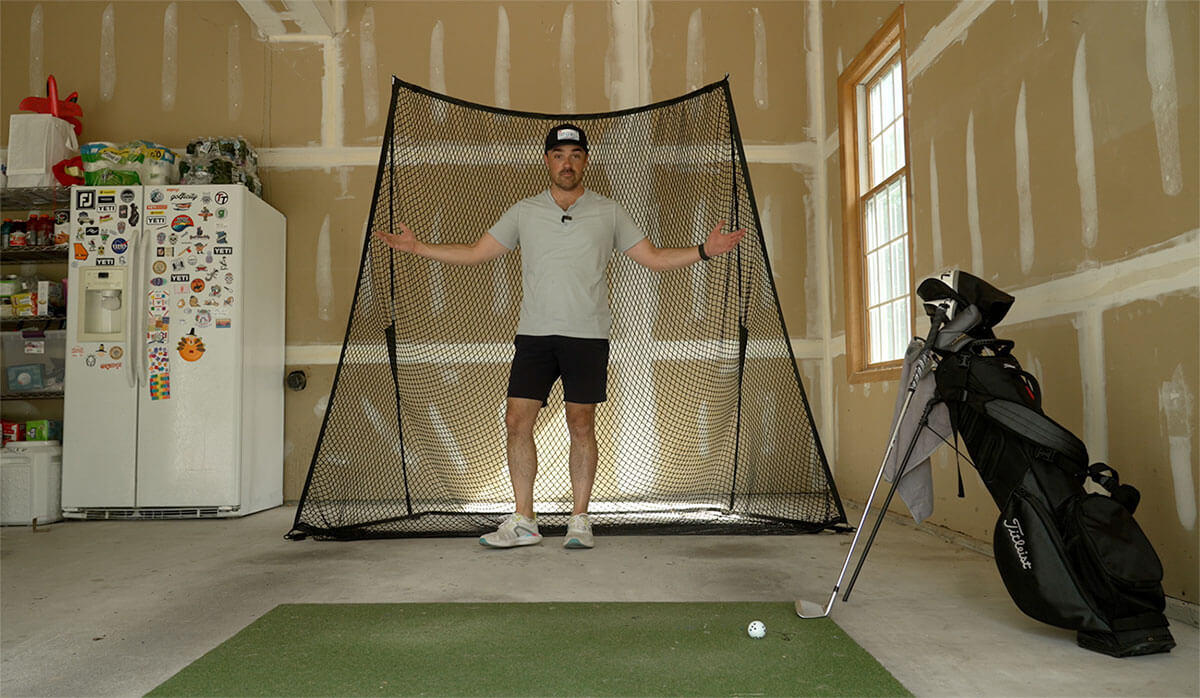
The good news is that you can build something functional at almost any budget level if you plan carefully.
The biggest drivers of cost are your launch monitor and enclosure setup. Entry-level camera-based units like the Rapsodo MLM2PRO or Square Golf launch monitors can deliver accurate data for under $1,000, while radar-based monitors like the Mevo require more space and investment.
Enclosures and impact screens also vary — you can grab a simple net for a few hundred bucks or invest in a heavy-duty, projector-ready screen for thousands.
Here’s a rough breakdown of what you can expect to spend when building a garage golf simulator:
- Launch Monitor: $500–$2,000 (Rapsodo MLM2 Pro, Garmin R10, or FlightScope Mevo are the popular picks).
- Enclosure & Screen: $1,000–$3,000 depending on size and quality.
- Projector: $700–$1,500. A short throw projector like the Optima GT2000HDR works well in tight garages.
- Mats & Flooring: $300–$1,000. Invest in a quality hitting mat — it will save your joints.
- Optional Extras: Side netting, soundproofing panels, or retractable enclosures if you still want to park in the garage.
If you’re trying to stay on the lower end, a $3,000–$5,000 budget can get you a very capable setup with a launch monitor, net, mat, and even a budget-friendly projector.
Mid-range builds in the $7,000–$10,000 range typically include a full enclosure, higher-end launch monitor, and premium hitting mat.
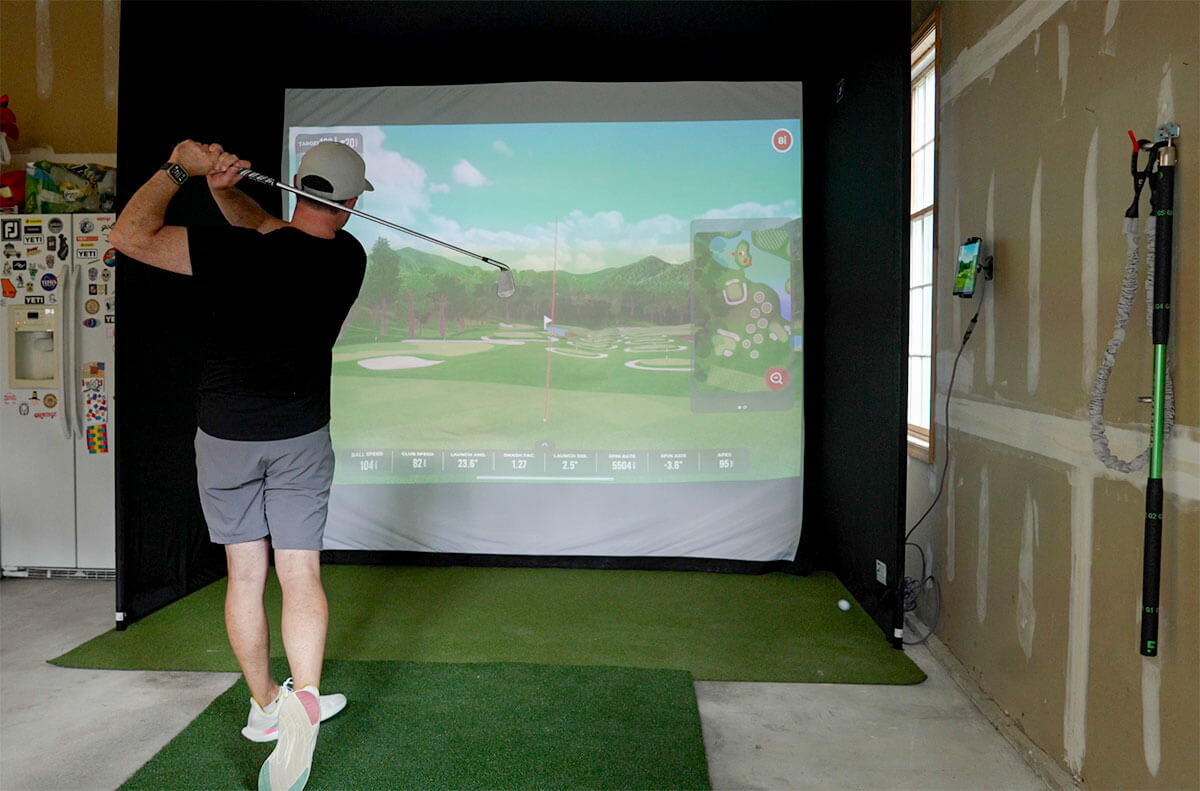
And if you want the “dream garage studio,” it’s easy to spend $15,000+ with advanced radar monitors, 4K projectors, and luxury enclosures.
The key takeaway? Start with the core pieces (launch monitor + hitting mat) and scale up as budget allows. That way you can get practicing right away while slowly adding upgrades like projectors and enclosures down the road.
Tips for a Successful Garage Setup
- Check your garage door tracks: Raising them can add crucial swing clearance.
- Plan your projector mount: There are many options here, so pick one that best suits your space.
- Think multi-use: Retractable screens and roll-away mats let you reclaim garage space when needed.
Garage Golf Simulator Setup FAQ
Can I build a golf simulator in an 8-foot garage?
It’s possible, but it’s limiting. With an 8-foot ceiling, you’ll likely be restricted to irons and wedges indoors.
Some golfers raise garage door tracks or mount their screens at an angle to gain a few extra inches of clearance. If you want to swing driver comfortably, aim for at least 9–10 feet of ceiling height.
How much space do I need for a garage golf simulator?
Most setups require at least 10 feet of width and 15 feet of depth. Radar-based launch monitors like the Mevo+ need more depth (18–20 feet), while camera-based systems such as the Garmin R10 or Rapsodo MLM2PRO can work in tighter spaces.
How much does it cost to build a garage golf simulator?
Budgets vary widely. A basic net, mat, and entry-level launch monitor can run $3,000–$5,000. Mid-range builds with enclosures and projectors typically cost $7,000–$10,000. High-end garage studios with premium monitors and 4K projectors can exceed $15,000.
Do I need to raise my garage door tracks for a simulator?
If your tracks hang low and interfere with your swing, raising them is one of the best upgrades you can make.
A garage service company can often reconfigure them for a few hundred dollars, which makes a big difference in swing clearance.
What’s the best projector for a garage golf simulator?
A short throw projector is best because it works well in tighter spaces and avoids shadows. Popular options include the Optima GT2000HDR or BenQ AK700ST, which both provide bright, sharp images even in garages with some ambient light.
Final Thoughts
Building a golf simulator in your garage isn’t just possible — it’s one of the most practical ways to bring year-round practice into your home.
As long as you’ve got enough ceiling height, the right width, and a clear idea of your budget, you can transform that underused space into the ultimate golfer’s workshop.
If you’d like to dive even deeper before setting up your own garage golf simulator, make sure to check out our Golf Simulators 2025 Buyer’s Guide here.


LIV Golf Could Be Facing its Final Chapter

Foresight GC2 Review: A Surprisingly Affordable Launch Monitor From Foresight

FIRST LOOK: Rapsodo MLM2XPRO Adds Putting, Faster Performance & More

FIRST LOOK: Titleist’s 2027 Pro V1 and Pro V1x Are Officially Showing Up on Tour

2026 Presidents Cup Preview: Did Team USA Get It Right?
2026 Presidents Cup Preview: Did Team USA Get It Right?
FIRST LOOK: Rapsodo MLM2XPRO Adds Putting, Faster Performance & More
Foresight GC2 Review: A Surprisingly Affordable Launch Monitor From Foresight
FIRST LOOK: Titleist’s 2027 Pro V1 and Pro V1x Are Officially Showing Up on Tour
LIV Golf Could Be Facing its Final Chapter

We Played This Old Golf Course Where Thomas Edison Was A Member

Are You MEASURING Your Golf Swing Correctly? (This Can Help)

Zach Johnson Explains Why He Didn’t Pick Bryson DeChambeau for the Ryder Cup

Justin Thomas FIRES Coach before Ryder Cup…Who’s Next?
