
Equipment
Sportsbox AI Review: Turn Your Phone into a 3D Golf Coach

In recent years, home golf simulators and launch monitors have revolutionized the way we practice the game. They’ve made it easy to measure club speed, ball flight, spin rate, and more with impressive accuracy.
But for all the tech available, one major piece of the puzzle has been missing—until now.
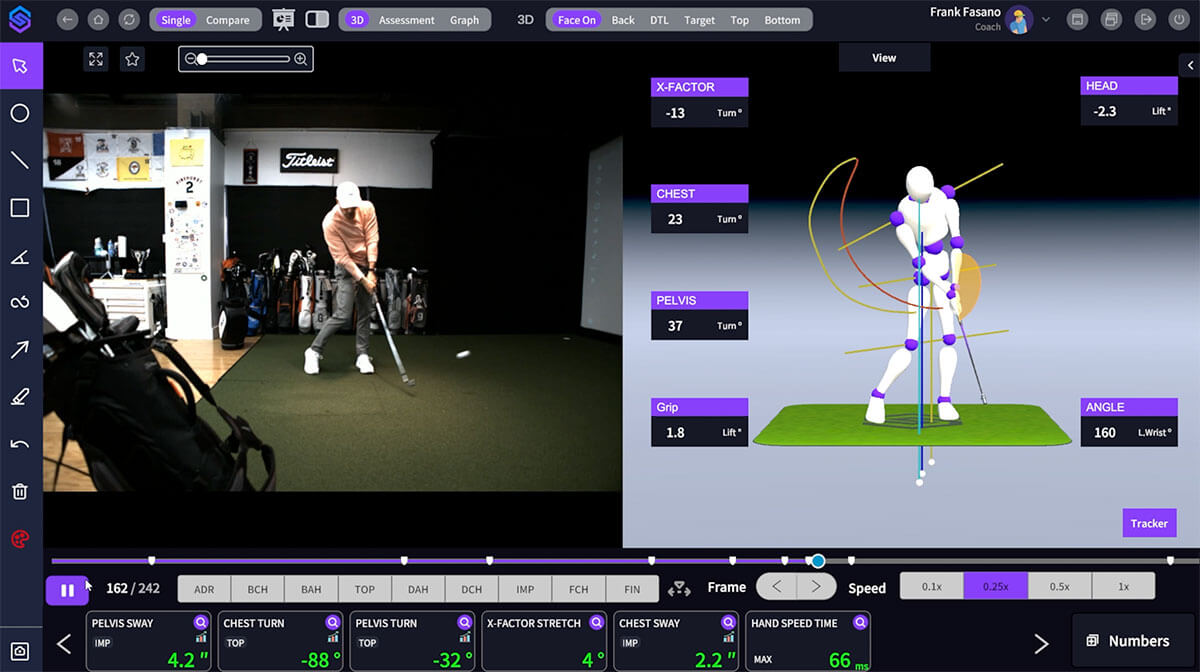
Enter Sportsbox AI—a powerful new tool that uses 3D motion capture technology to analyze your golf swing in remarkable detail. And with options for both mobile and desktop use, it’s accessible to everyday golfers and elite players alike.
What Is Sportsbox AI?
Sportsbox AI is a swing analysis platform that captures and quantifies your body movement using 3D motion modeling. It tracks key swing metrics like hip rotation, shoulder turn, sway, and more—all using only high-speed cameras .
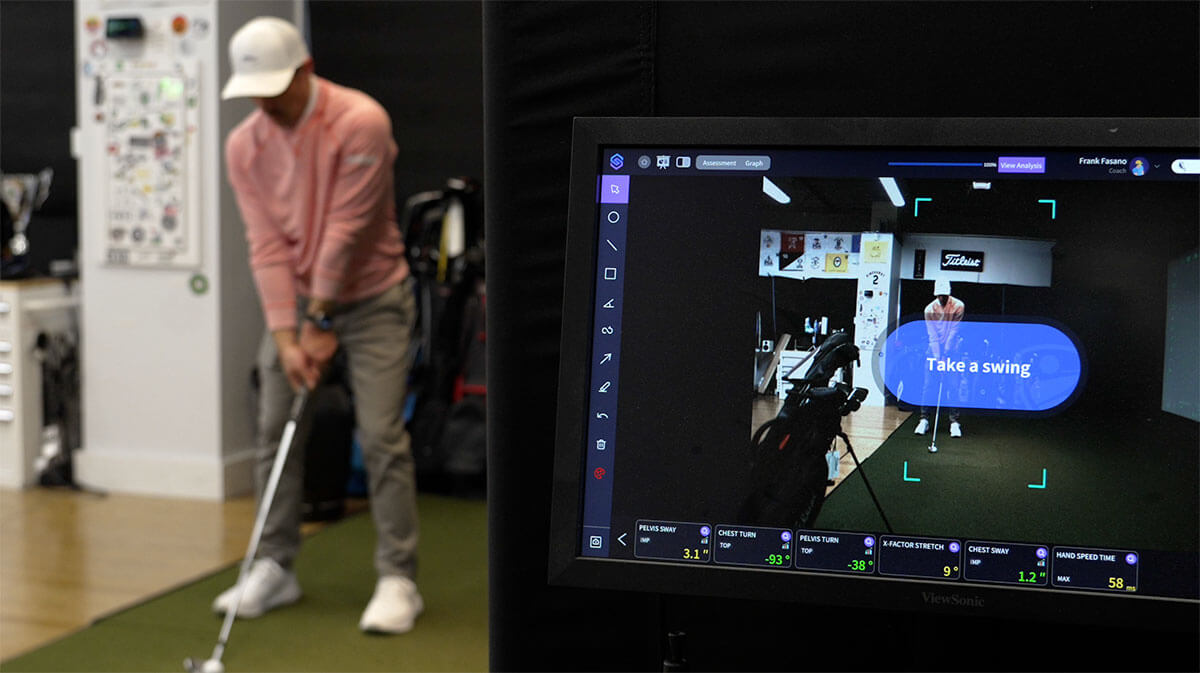
Available in both a desktop studio version and a mobile app, Sportsbox AI aims to give you the same kind of data that top tour players use to fine-tune their swings.
In fact, Bryson DeChambeau used Sportsbox AI to help him prep for his win at the U.S. Open at Pinehurst.
Bryson DeChambeau’s U.S. Open Prep with Sportsbox
One of the most compelling real-world examples of Sportsbox AI in action comes from Bryson DeChambeau. Working closely with Dana Dahlquist and the Sportsbox team, Bryson used the system to zero in on a minor—but crucial—element of his swing: pelvic sway.
Using just an iPhone, they recorded hundreds of swings and noticed a strong correlation between sway measurements and ball flight. The ideal sway gap for his signature push draw hovered around -1.7 to -2.2 inches, while misses crept closer to -1 inch.
That’s a difference of less than an inch—far too subtle to spot on 2D video but easily captured by Sportsbox.
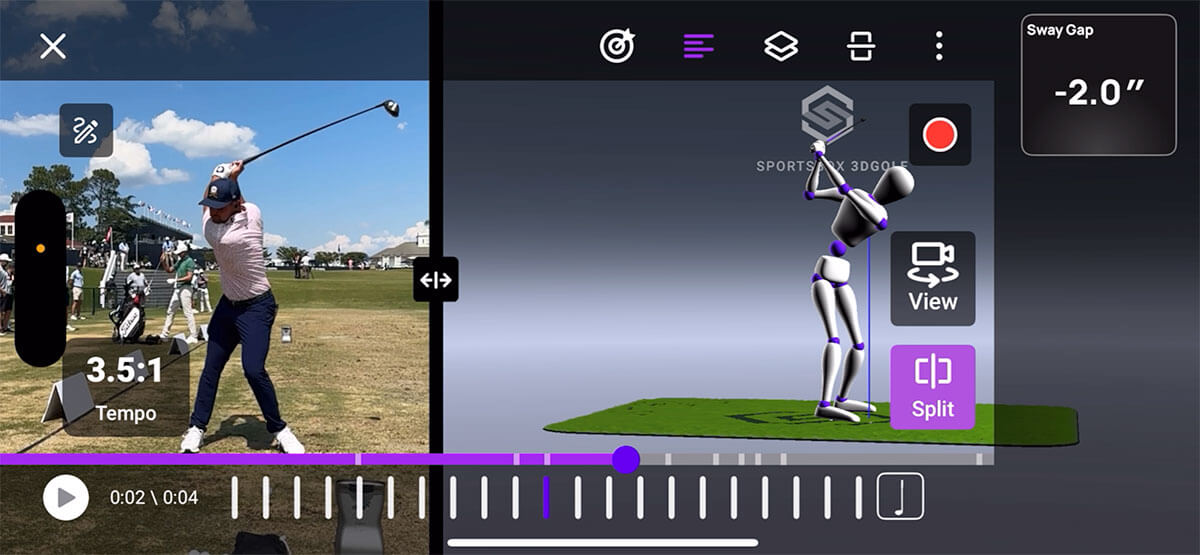
This insight helped dial in Bryson’s performance during practice rounds, warmups, and post-round sessions throughout the tournament.
Who Is Sportsbox AI For?
Sportsbox AI is designed for a wide range of golfers:
-
Coaches: Analyze student swings with high precision and deliver more objective feedback.
-
Home Simulator Owners: Turn your home setup into a full-blown, high-tech golf training studio.
-
Amateur Golfers: Understand your swing in ways you never could before.
-
Speed Trainers and Gearheads: Track shoulder turn, wrist angles, X-factor, and more.
Whether you’re trying to break 100 or chase clubhead speed records, the platform provides measurable data that supports real improvement.
Desktop Studio Version: For Serious Setup Enthusiasts
If you have a home simulator PC, the Sportsbox Studio software integrates seamlessly. It requires a high-speed camera (included in the studio kit) and offers two modes:
-
Assessment Mode: Analyze your swing in full 3D and compare it to pro benchmarks.
-
Training Mode: Set specific goals (e.g., improve sway or rotation) and track progress in real-time.
The software logs every swing, allowing you to build a personal swing library over time. You can easily review swings, identify trends, and focus your training on a single movement—such as shifting to your lead side.
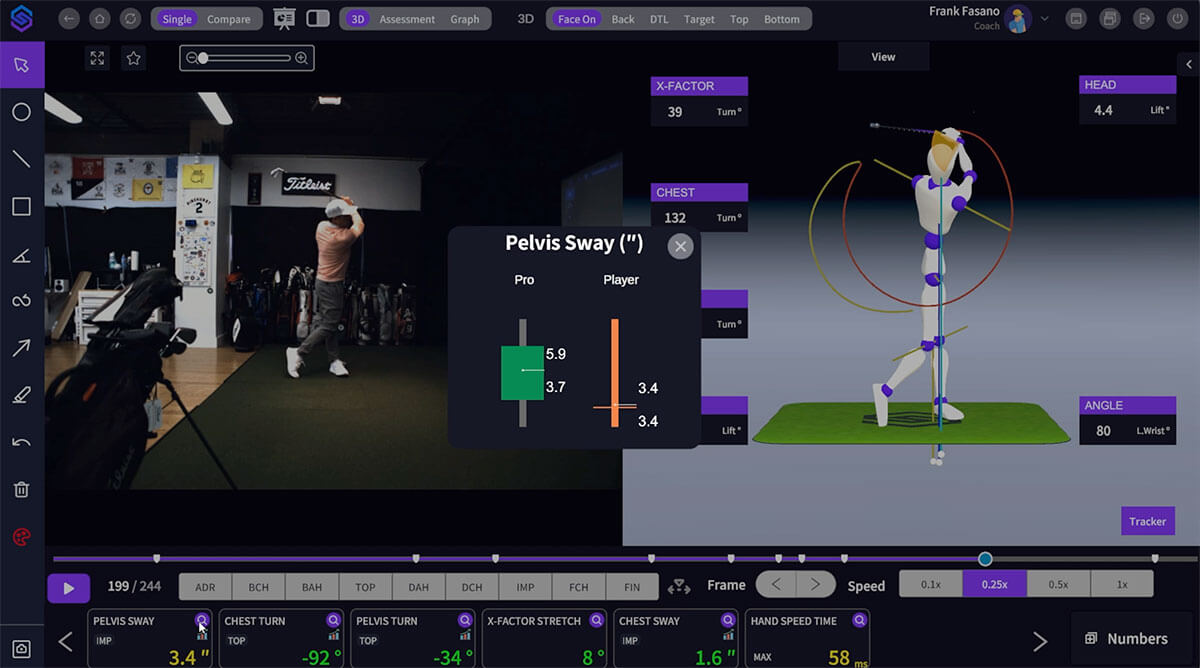
Best of all, you can view your swing from any angle, including top-down and underneath views, thanks to the 3D modeling capabilities.
Studio Pricing
The Sportsbox Studio system starts at around $5,000 and pricing increases depending on the number of high-speed cameras you add.
While this setup is geared more toward coaches and high-end training centers, serious home users will find it worth the investment.
Sportsbox AI Mobile App: Game-Changing Portability
The mobile version of Sportsbox AI brings the same technology to your smartphone. It uses your phone’s built-in high-speed camera to capture swings and build 3D models—no special equipment required.
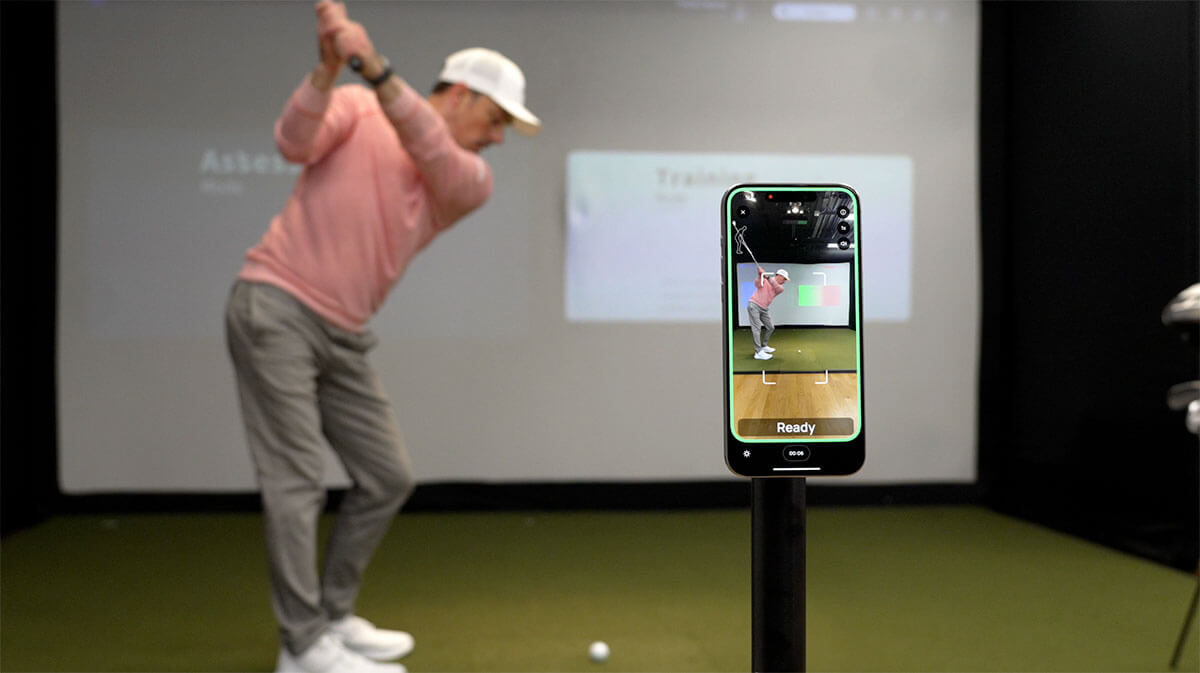
Set it up with a tripod (like a GPOD), and you’re good to go—indoors, outdoors, or even out on the course during a practice round.
Key features include:
-
Record face-on or down-the-line
-
Capture swings in real time
-
Instantly analyze metrics like sway, rotation, and more
-
Build a swing history library for long-term improvement
Mobile App Pricing
The app offers a free version that lets you record a limited number of swings to try it out. From there, premium plans start at under $10/month, offering unlimited swing recordings and access to deeper insights.
Why Sportsbox AI Stands Out
The standout feature of Sportsbox AI is its precision. It measures swing movement down to the tenth of an inch, helping you identify micro-movements that could be sabotaging your consistency.
For example, during training mode, you can set target zones for key metrics like pelvic sway or chest sway. After each swing, the system instantly tells you whether you hit your goal. It’s like having a coach right there with you—one that never misses the smallest detail.
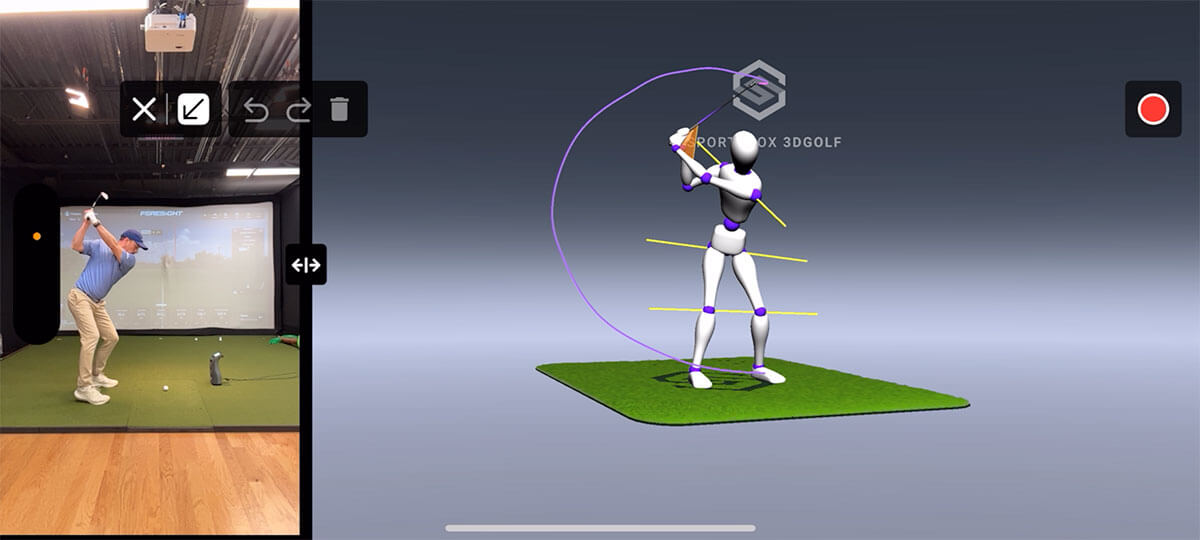
And as the Bryson story proves, sometimes that 1-inch difference is the key to unlocking better ball flight and consistent results.
Final Thoughts
After spending a couple of months using Sportsbox AI, it’s safe to say this has become one of my favorite training tools. It bridges the gap between feel and real, offering measurable, objective data that accelerates improvement.
Whether you’re a coach, an at-home simulator user, or a weekend golfer trying to break 80, Sportsbox AI has something to offer.
Try it Yourself for Free
If you’re interested in giving it a try before committing to purchasing a subscription you can download the Sportsbox AI mobile app and start analyzing your swing today.
Level up to Premium (with Discount Code)
If you’re ready to level up to one of the Sportsbox premium plans, make sure to use our discount code: GOLFICITY for 25% off!


LIV Golf Could Be Facing its Final Chapter

Foresight GC2 Review: A Surprisingly Affordable Launch Monitor From Foresight

FIRST LOOK: Rapsodo MLM2XPRO Adds Putting, Faster Performance & More

FIRST LOOK: Titleist’s 2027 Pro V1 and Pro V1x Are Officially Showing Up on Tour

2026 Presidents Cup Preview: Did Team USA Get It Right?
2026 Presidents Cup Preview: Did Team USA Get It Right?
FIRST LOOK: Rapsodo MLM2XPRO Adds Putting, Faster Performance & More
Foresight GC2 Review: A Surprisingly Affordable Launch Monitor From Foresight
FIRST LOOK: Titleist’s 2027 Pro V1 and Pro V1x Are Officially Showing Up on Tour
LIV Golf Could Be Facing its Final Chapter

We Played This Old Golf Course Where Thomas Edison Was A Member

Are You MEASURING Your Golf Swing Correctly? (This Can Help)

Zach Johnson Explains Why He Didn’t Pick Bryson DeChambeau for the Ryder Cup

Justin Thomas FIRES Coach before Ryder Cup…Who’s Next?
